How drivers get notified a rider is ready for pickup
When the front desk marks a trip 🙋 Pickup Requested, the driver can be notified two ways — whichever they've set up.
In-app chime
If the driver's device has RideLogger open, it plays a short sound and shows a toast: "🙋 Pickup requested: [resident name(s)]." [BLOCKED: no live screenshot — triggering this for real means clicking "Pickup Requested" on a trip, which also fires the automated voice call below to any real opted-in driver phone number (confirmed live: this test tenant has one staff member with pickup-call opt-in on, and the call pool falls back to every opted-in driver facility-wide if none are individually assigned to the trip — so it isn't avoidable by picking an unassigned trip). Toast text and chime trigger verified from source (app.js, the onSnapshot pickup-status-change handler) instead.] No setup needed — this fires automatically for anyone with the driver role, or anyone flagged "also drives," whenever they're on the trip.
Automated voice call (opt-in)
For drivers who'd rather get a call than watch for a text or toast:
- On the driver's staff record (Add or Edit), check "📞 Call this driver for pickup alerts at the phone above." (hint text: "For drivers who prefer a call over a text: when the front desk marks a trip 'Pickup Requested,' an automated voice call announces the trip number (e.g. 'Trip 3 is ready for pickup') — plays hands-free over the vehicle's Bluetooth. No names spoken.")
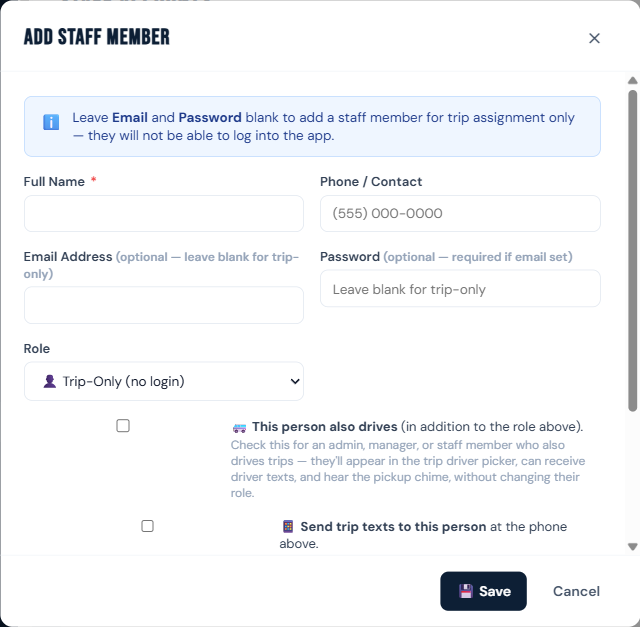
- When the trip is marked Pickup Requested, RideLogger places an automated call announcing "Trip [number] is ready for pickup" — using the trip's daily number, not a room number or name, so nothing is mispronounced.
- The call is meant to play hands-free over the vehicle's Bluetooth.
Who can do this
The chime is automatic for drivers/also-drives staff. The voice call requires opting in on the staff record (managers/admins set this up).
Notes
- The chime only works while the app is open on that device — it isn't a push notification.
- Voice calls share the same daily message cap as text messages (200/day per facility).
- No resident or driver names are spoken on the call — only the trip number.