Core Features
"This person also drives" — what it does
Lets an admin, manager, or staff member act as a driver for scheduling purposes, without changing their actual role or permissions.
Steps
- Go to 🧑💼 Staff and edit the person's record (or add a new one).
- Check "🚐 This person also drives (in addition to the role above)".
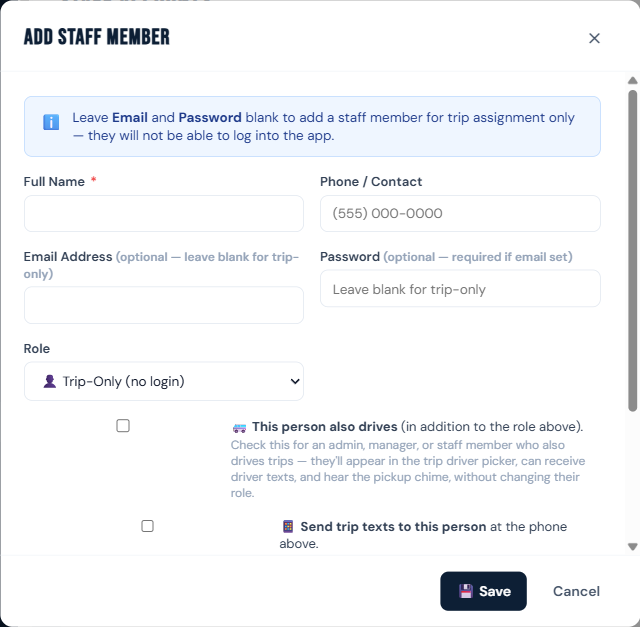
- Click 💾 Save.
Once checked, that person:
- Appears in the Staff on Trip driver picker on the trip form.
- Can receive Text Driver messages (if also opted in to texts).
- Hears the pickup chime when a trip they're on is marked "Pickup Requested."
Who can do this
Managers and admins.
Notes
- This does not change their role or what pages they can see — an admin who also drives keeps full admin access.
- Without this checkbox, admins are deliberately hidden from the driver picker, since most admins don't drive.