Account & Settings
How to start a subscription
Move from your free trial to a paid plan.
Steps
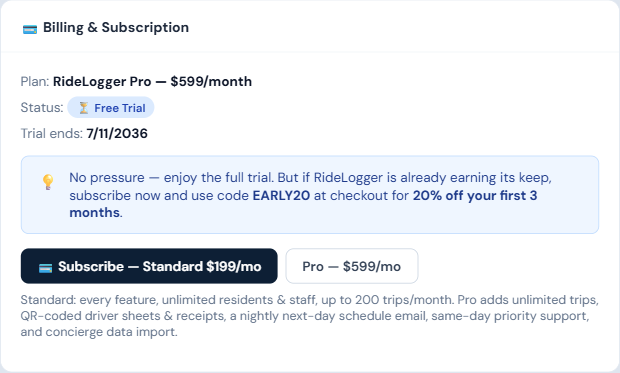
- Go to ⚙️ Settings and scroll to 💳 Billing & Subscription.
- Click "💳 Subscribe — Standard $199/mo", or the "Pro — $599/mo" button next to it.
- You're taken to a secure Stripe Checkout page to enter payment details.
- Once complete, your plan updates automatically — no manual activation step.
Who can do this
Admins only.
Notes
- If you're still within your trial window, you'll see a note to use promo code EARLY20 for 20% off your first 3 months.
- Subscribing doesn't require waiting for your trial to end — you can subscribe any time during the trial.