Troubleshooting
Google Maps can't find the address / directions look wrong
Symptom
Tapping a destination address, or clicking "🗺️ View route" on a trip, opens Google Maps with a route that doesn't make sense or can't be found.
Cause
Directions and auto-calculated distance use your Facility Address (Settings → Facility Information — hint text: "Used as the starting point when you open Google Maps from the trip form") as the starting point. If that field is empty or wrong, the route will be too.
Fix
- Go to ⚙️ Settings and scroll to 🏠 Facility Information.
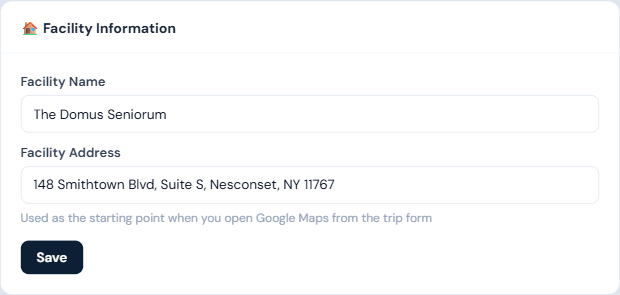
- Enter your facility's correct, full street address in Facility Address.
- Click Save, then try the Maps link or Auto-calculate again.
Who can fix this
Managers and admins (Settings access).
Notes
- If the facility address is unset entirely, you'll get a toast telling you it's missing rather than a broken/blank map link.
- Only the destination address is sent to Google for these links — no resident information.