Troubleshooting
Can't delete a resident or destination
Symptom — Resident
Clicking Delete on a resident shows a red toast error, e.g.: "Cannot delete Resident35 I: 3 upcoming trips reference them. Cancel or reassign those trips first — or use Deactivate." 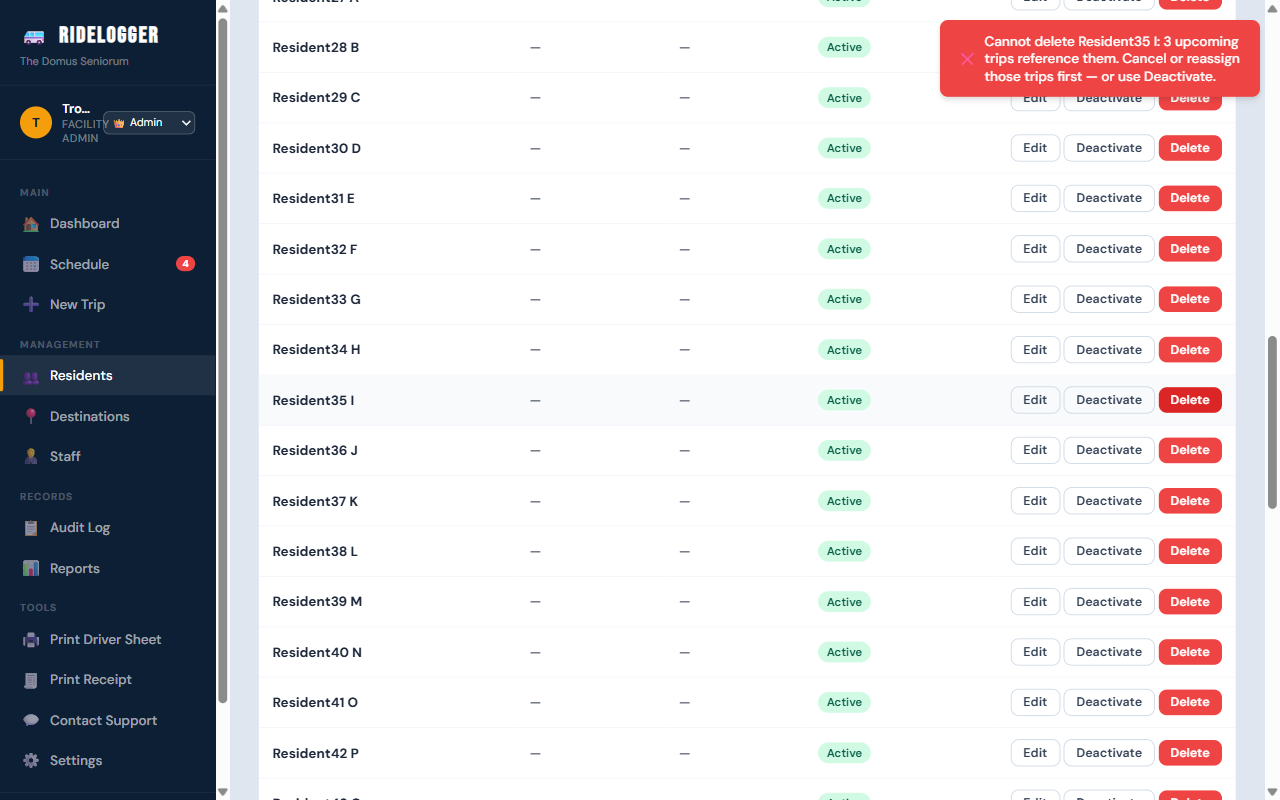
Fix
- If the resident still has upcoming trips, deletion is blocked outright. Cancel or reassign those trips first, or — usually simpler — click Deactivate instead of Delete.
- If only past trips reference them, you'll get a confirmation dialog (not a block) instead of a toast: deleting means trip history will show an "unknown resident." If they simply moved out, Deactivate instead — it keeps history intact.
Symptom — Destination
Deleting a destination only shows a browser confirmation dialog — "Delete '[name]' from your destinations? This cannot be undone.", plus an added warning line if trips reference it — never a hard block, because trips copy the destination's name/address at the time they're created — removing the directory entry doesn't change those trips' saved data.
Who can fix this
Anyone with access to the Residents/Destinations page (all roles).
Notes
- Deactivate, not Delete, is the right choice any time you want the record to stop being offered for new trips but keep historical accuracy.